Case Studies
The Webflow Pro System: A mini-CRM born from Real Agency Work
After five years running a Webflow consultancy, I built a Notion system to replace six tools. Here's what it does and why I'm sharing it.

Veronica Picciafuoco
Founder, Eldur Studio
- Published
- Reading time
- 3 min read
After five years of running a Webflow agency, I got tired of juggling six different tools just to manage client projects. So I built something better — and now it's available on the Notion marketplace.
The Problem: Too Many Tools, Not Enough Flow
Like most consultancies, Eldur Studio was running on a fragile stack: Linear for tasks, Pipedrive for deals, Xero for invoices, Gamma for proposals, Slack for updates, and Notion for everything else.
The result? Constant context switching, broken integrations, and clients asking “where do I find that again?”
I needed one system that could handle the full lifecycle of a Webflow project — from first contact to final invoice — without requiring clients to log into three platforms or me to remember which Zapier connection broke this week.
What I Built
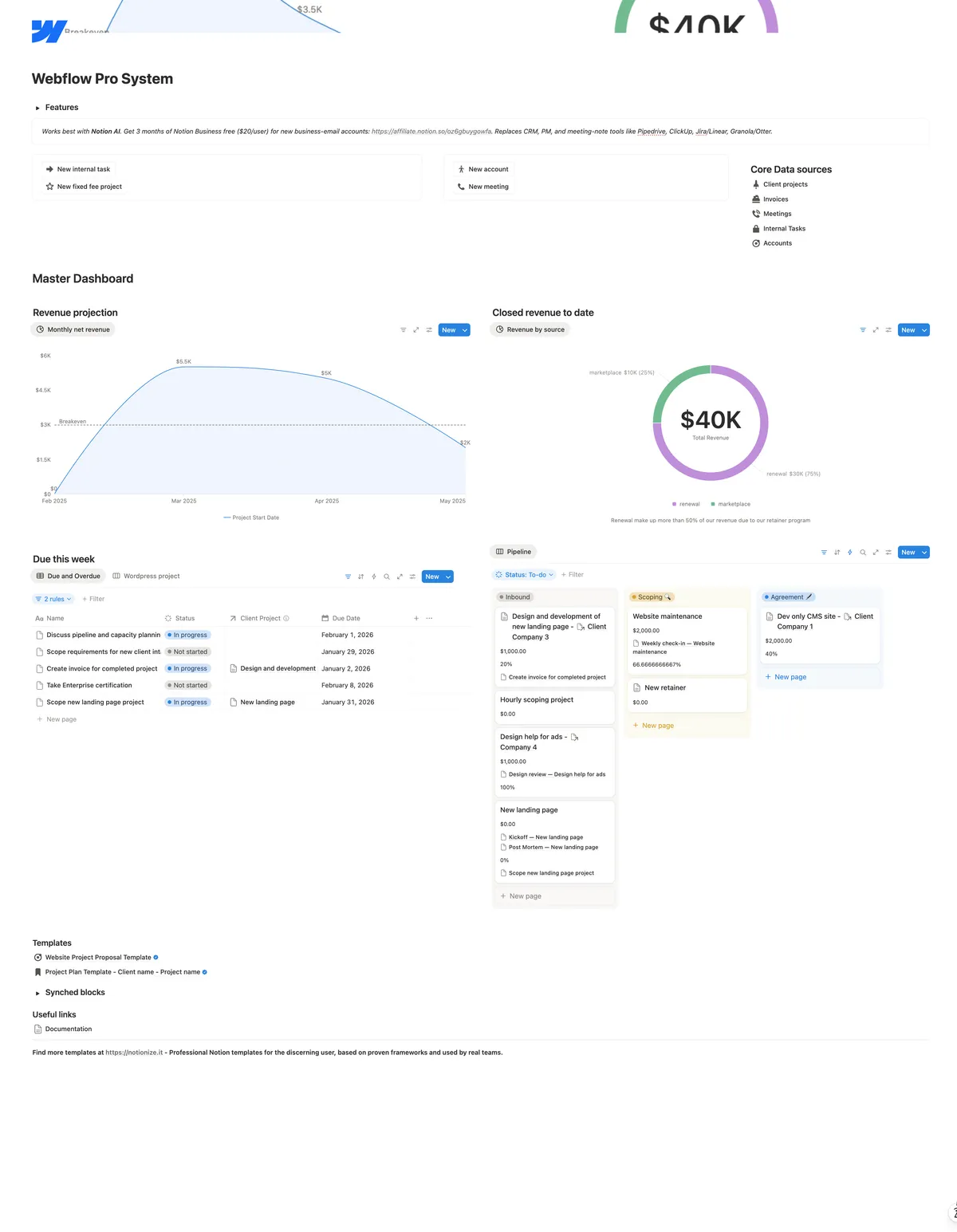
I consolidated everything into Notion and started automating the repetitive stuff. Used it on real client work. (The same Notion-plus-automation approach shows up in our VC contact enrichment build and in Notion AI Agents vs. Cowork.) Refined it through dozens of projects. When other Webflow designers saw it, they wanted it too.
This isn't a generic project management template with a Webflow logo on it. It's purpose-built for how Webflow professionals actually work:
Full business dashboard. Track your sales pipeline and revenue in one view. See which projects are profitable, forecast monthly income, and manage contacts — no separate CRM needed.
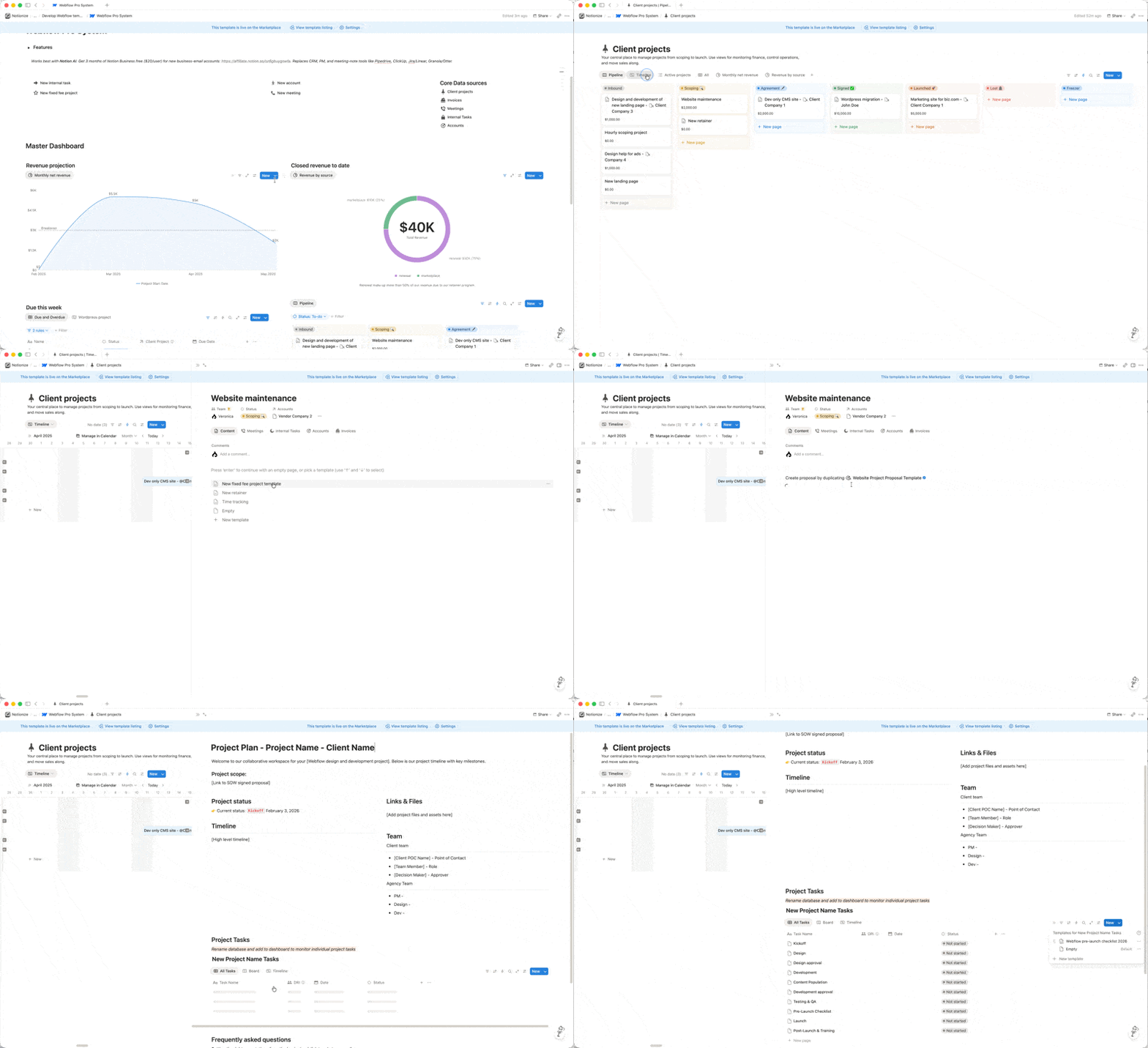
Webflow-native project workflow. Pre-filled tasks that reflect actual Webflow best practices, from design handoff to CMS setup to pre-launch QA. Clients get a clean view of progress. You keep internal tasks separate.
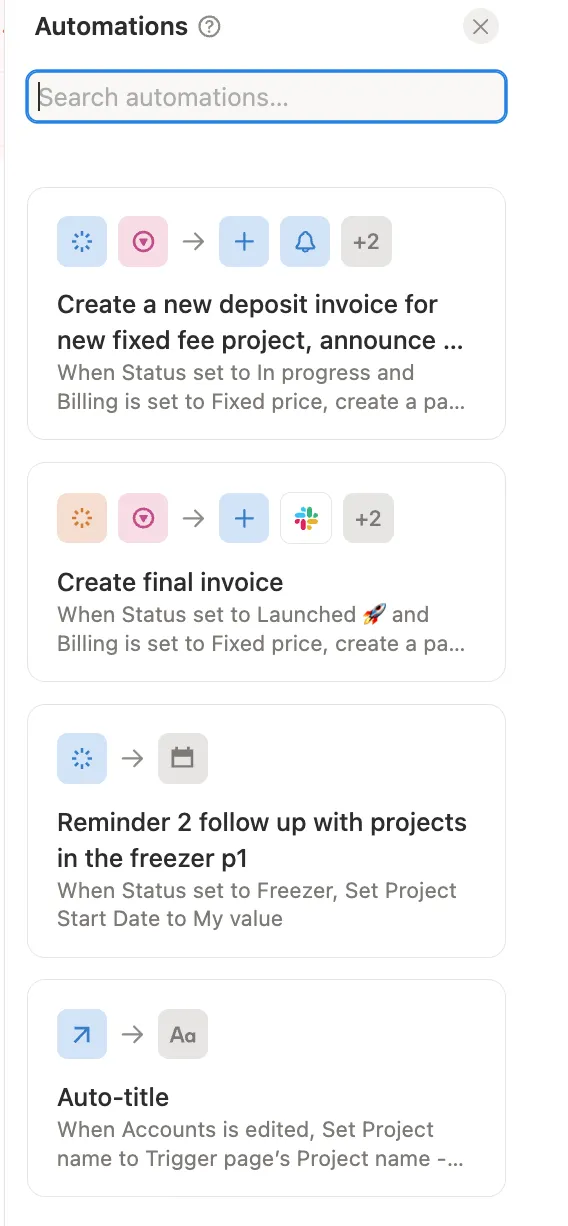
Invoicing without the headaches. Invoice tracking with automated reminders, all native to Notion. Connect your email and Slack, and you're done. No third-party integrations that break.
Automations that do the boring work. Scoping helper that generates proposals from your notes. Invoice prep that drafts line items from completed tasks. Weekly client updates compiled automatically. Risk flags before blocked work becomes a problem.
Why It Matters: Save Money, Save Time, Look Professional
Replace your SaaS stack. Most 3-person agencies spend $3,000–6,000/year on PM tools, CRM, invoicing, and docs. With this system on Notion Business, you're at $540/year. That's over $5,000 back in your pocket.
Stop context switching. Client communication, task management, contract templates, revenue tracking — all connected in one place.
Give clients a better experience. A professional portal where they can check project status, review deliverables, and see what's next — without pinging you. They feel in control. You save hours on status updates.
Five years of best practices, built in. From kickoff to launch, you're operating with proven structure — not reinventing the process every project.
What's Inside
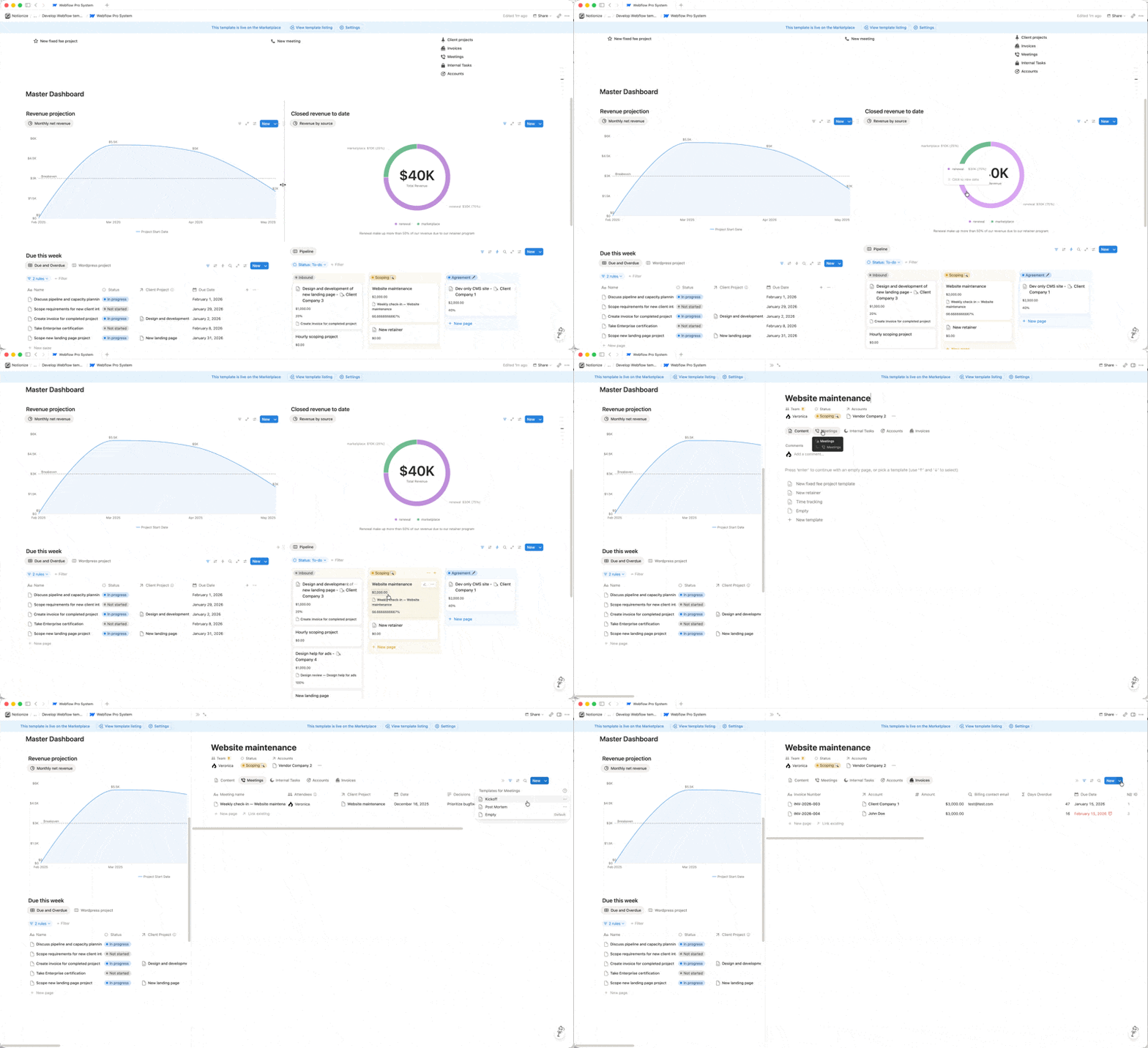
Complete CRM with pipeline tracking and revenue forecasting
Project templates for design, development, and retainer work
Pre-filled Webflow task library and comprehensive launch checklist
Invoice tracking with automated reminders
Contract and proposal templates
Meeting notes automation
Scoping, invoicing, client update, and risk monitoring automations
Client/internal task segregation with proper permissions
Who This Is For
You're a Webflow designer or developer running a consultancy or freelance practice. You want to stay organized, look professional, and spend less time on admin. You're ready to consolidate tools and build durable systems — not chase the next shiny SaaS.
If you're managing multiple client projects, juggling proposals and invoices, and tired of tools that don't talk to each other — this is built for you.
Download It
The Webflow Pro System is live on the Notion marketplace. I use it every day to run Eldur Studio. It's been tested on real client work, refined through dozens of projects, and built to scale with your business.
Most importantly, you can customize it to fit the way you work. As easy as writing in Notion.
Use code WEBFLOWEARLY for 50% off.
— Veronica
- Automation
- One-Person Team
- Notion
Keep reading
More field notes
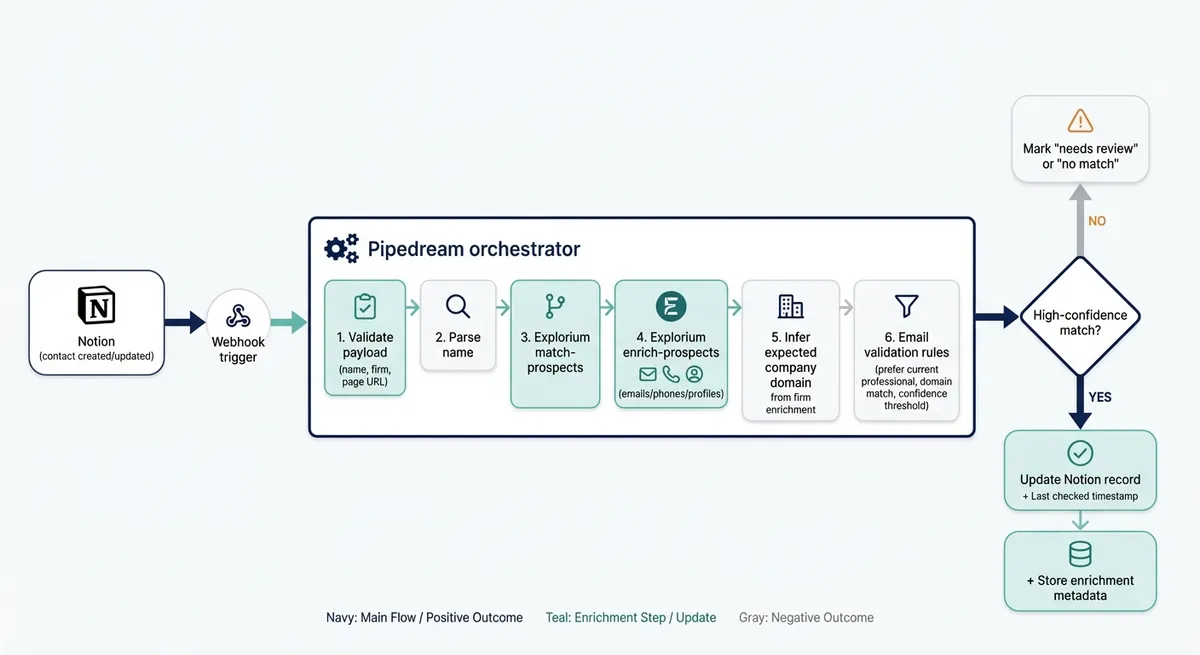 Case StudiesWe Replaced 200 Hours of LinkedIn Research with a 2-Hour Enrichment AgentHow we enriched 400+ VC contacts in 2.2 hours using Explorium, Notion, and Pipedream. 95% match rate for major firms, 98% time reduction.2 min
 Webflow/No-CodeWebflow SEO checklist: what to check every weekA practical Webflow SEO checklist for broken links, alt text, metadata, images, and redirects, with a staging-first workflow for recurring maintenance.6 min
 AI & AutomationWebflow MCP 2.0: game changing releaseIn April the Webflow MCP couldn't duplicate a carousel slide. 2.0 fixed that and moved almost everything off the Designer. Here's what it does, and the one gap you have to build yourself.4 min
Next step
Ready to build AI workflows for your team?
Most teams start with a First Agent, so you see real output before committing to a bigger system.
